> ## Documentation Index
> Fetch the complete documentation index at: https://docs.accountingplus.id/llms.txt
> Use this file to discover all available pages before exploring further.
# Keluar dari Accounting+
1. Apabila Anda ingin keluar dari aplikasi, akses bagian kanan atas halaman aplikasi yang terdapat ikon profil.
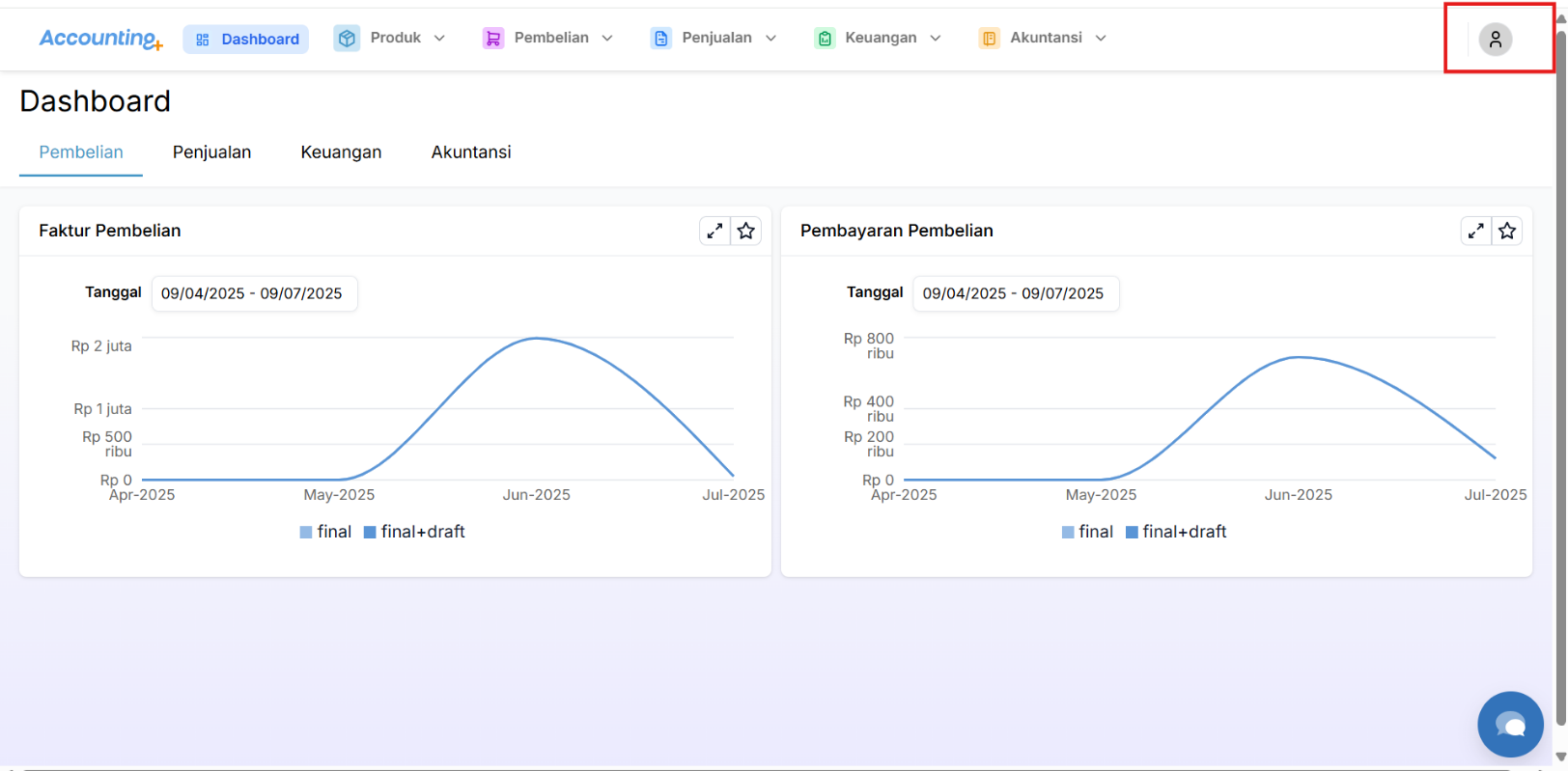 2. Klik ikon profil tersebut untuk menampilkan opsi “Log Out”.
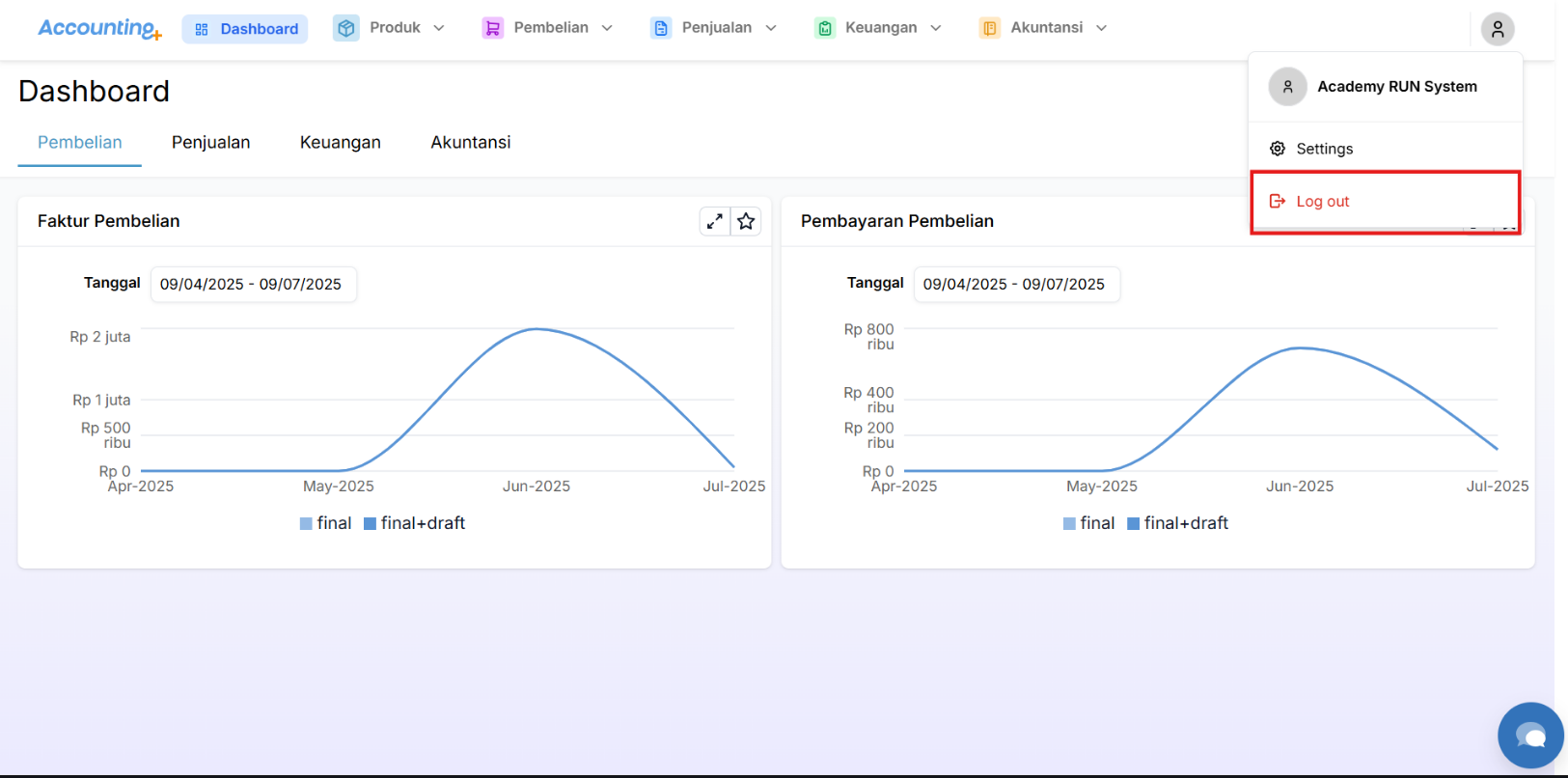 3. Klik tombol "Log Out” tersebut, maka Anda akan berhasil keluar aplikasi Accounting+ dan diarahkan ke halaman Log In.